
Push
There are some additional features when pushing commits to Gitea server.
Open PR through Push
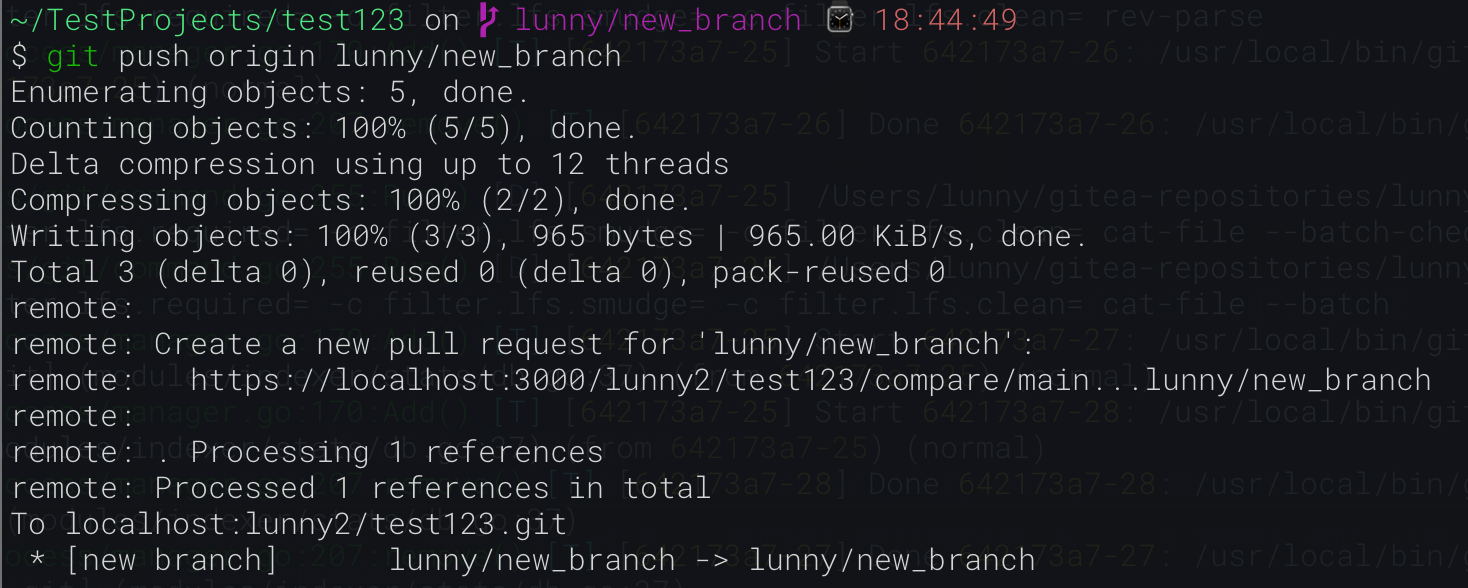
Section titled “Open PR through Push”When you push commits to a non-default branch for the first time, you will receive a link you can click on to visit the compare page of your branch compared to your main branch. From there, it’s easy to create a pull request, even if you want to target another branch.
Push Options
Section titled “Push Options”In Gitea 1.13, support for some push options
were added.
Supported Options
Section titled “Supported Options”-
repo.private(true|false) - Change the repository’s visibility.This is particularly useful when combined with push-to-create.
-
repo.template(true|false) - Change whether the repository is a template.
Example of changing a repository’s visibility to public:
git push -o repo.private=false -u origin mainPush To Create
Section titled “Push To Create”Push to create is a feature that allows you to push to a repository that does not exist yet in Gitea. This is useful for automation and for allowing users to create repositories without having to go through the web interface. This feature is disabled by default.
Enabling Push To Create
Section titled “Enabling Push To Create”In the app.ini file, set ENABLE_PUSH_CREATE_USER to true and ENABLE_PUSH_CREATE_ORG to true if you want to allow users to create repositories in their own user account and in organizations they are a member of respectively. Restart Gitea for the changes to take effect. You can read more about these two options in the Configuration Cheat Sheet.
Using Push To Create
Section titled “Using Push To Create”Assuming you have a git repository in the current directory, you can push to a repository that does not exist yet in Gitea by running the following command:
# Add the remote you want to push togit remote add origin git@{domain}:{username}/{repo name that does not exist yet}.git
# push to the remotegit push -u origin main
This assumes you are using an SSH remote, but you can also use HTTPS remotes as well.
Push-to-create will default to the visibility defined by DEFAULT_PUSH_CREATE_PRIVATE in app.ini.